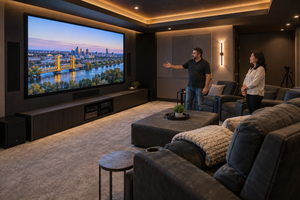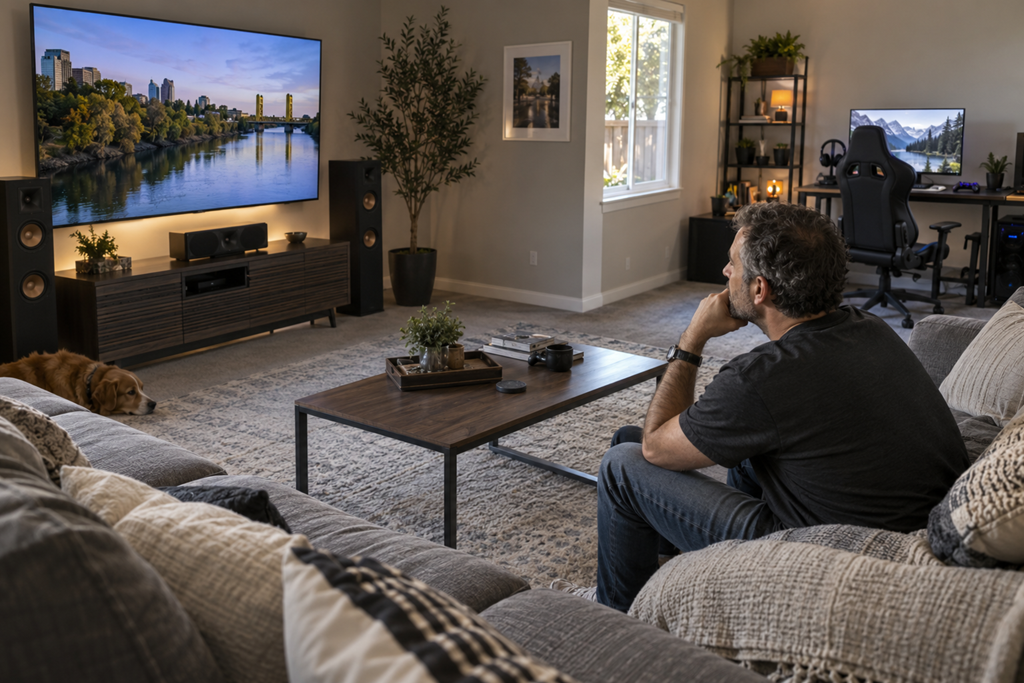
Before combining a home theater and gaming setup, ask how the room needs to work for both activities instead of assuming one screen, one sound system, and one seating plan will automatically serve everything well. Movies, casual console gaming, competitive gaming, streaming, voice chat, and family use can place different demands on viewing distance, seating, sound, lighting, controls, connectivity, and everyday comfort.
For Sacramento-area homeowners, the challenge is often not whether home theater and gaming equipment can physically occupy the same room. It is whether the finished space will feel convenient for the people who actually use it.
A system can look impressive on paper while creating small frustrations every day: awkward seating for one activity, too much switching between devices, lighting that works for movies but not gaming, or sound that is well suited to one listening position but less useful somewhere else.
Thinking through those differences before hiring a home theater installer can make the planning conversation much more productive.
Start With How The Room Will Actually Be Used
The most useful first question is not, “What equipment should I buy?”
It is, “What do we actually want to do in this room?”
A household that mainly watches movies and occasionally plays console games may need something very different from a household where someone regularly plays games at a desk while other family members use the main screen.
Consider which activities will be common rather than designing around every possible use.
For example, a combined room might need to support:
- movies and television from a main seating area
- console gaming on the primary display
- PC gaming from a separate desk
- multiplayer gaming with several people in the room
- headphones or voice chat
- everyday streaming and casual family use
These activities can overlap, but they do not always have identical priorities.
That distinction is worth explaining when you speak with a local installer. It gives the provider a clearer picture of the room you are trying to create instead of reducing the project to a list of electronics.
One Screen Does Not Automatically Solve Both Needs
Using the same television or projector for movies and gaming may sound like the simplest approach, and sometimes it is.
But the experience depends on more than screen size.
A theater-oriented setup may prioritize comfortable viewing from a sofa, cinematic sound, and a darker room. Gaming may place more emphasis on responsiveness, clear visibility, convenient controller or peripheral access, and a seating position that feels comfortable during longer interactive sessions.
The question is not whether a particular display is labeled for movies or gaming. It is whether the display and room arrangement make sense for the way you expect to use them.
Ask a provider how your preferred activities affect the recommended screen location, seating arrangement, and equipment choices.
That conversation can also reveal whether you are trying to make one area do too many things at once.
Ask Who Will Use The Space At The Same Time
Shared use is easy to overlook during planning.
Imagine one person gaming while someone else wants to watch television. Or one family member is using voice chat while another person is reading or working nearby. A system that functions perfectly when one person controls the room may feel very different when several people use the space.
Before settling on a layout, think about whether simultaneous use matters.
If everyone will normally participate in the same activity, a single shared setup may make sense. If different people regularly want different experiences, it is worth discussing whether separate displays, listening options, seating zones, or equipment locations would make the room easier to live with.
You do not need to know the technical answer beforehand. You simply need to describe the real household pattern clearly enough for a provider to plan around it.
Sound And Voice Chat Can Change The Experience
Home theater sound is generally designed around listening to entertainment within a room. Gaming can add another element: communication.
Headsets, microphones, game audio, surround sound, and other people in the room can all interact with one another.
That does not necessarily mean you need separate sound systems. It means sound should be discussed as part of the combined use rather than treated as an afterthought.
Useful questions include whether the main listening area and gaming position are the same, whether headphones will be used regularly, and whether someone needs to communicate with other players without disrupting everyone else in the room.
The answers can influence how practical a shared system feels long after installation day.
Lighting For Movies And Gaming May Not Be Identical
A very dark room can work well for some movie viewing, but gaming does not always happen under the same conditions.
Some people play during the day. Others prefer enough ambient light to move around easily, see controllers and accessories, or reduce the contrast between a bright display and a completely dark room.
Sacramento homes can also receive substantial daylight depending on room orientation, windows, and time of day. Rather than assuming the room should always be as dark as possible, explain when you expect to use it.
An installer can then discuss how the display, window conditions, lighting controls, and room layout relate to those habits.
The goal is not to create one perfect lighting condition. It is to understand whether the room needs to adapt between different uses.
Device Switching Should Feel Simple
Combined systems can accumulate devices quickly.
A television or projector might share space with a streaming device, game consoles, a computer, an audio system, controllers, chargers, and other accessories. Each device may be straightforward by itself, yet the overall system can become inconvenient if everyday operation requires too many steps.
Before installation, ask what it will be like to move from watching television to playing a game and back again.
Who in the household needs to operate the system?
Will guests or less technical family members use it?
Where will controllers and accessories stay when they are not being used?
Those everyday questions can be just as important as equipment specifications. A powerful system that is frustrating to operate may not feel like an improvement.
The Room Still Has To Work When Nobody Is Gaming Or Watching
It is easy to focus entirely on equipment during a home theater project.
But the room remains part of the home.
Think about walking paths, doors, storage, furniture, windows, and how people enter and leave the space. If gaming chairs, controllers, headsets, charging accessories, or other equipment constantly end up in circulation areas, the combined setup may feel more intrusive than expected.
The same applies to a separate gaming desk. Adding one may technically solve a gaming need while making the rest of the room feel crowded.
Looking at the entire space helps keep the project centered on how the room functions, not simply how many components can fit inside it.
Questions Worth Asking Before You Hire
You do not need to arrive at an installation consultation with every technical decision already made. A better goal is to bring questions that help the provider understand your priorities.
Consider asking:
- How would you plan this room differently because it will be used for both movies and gaming?
- Will our preferred seating positions work well for both activities?
- What happens if two people want to use the room differently at the same time?
- How easy will it be to switch between entertainment sources and gaming devices?
- How should we think about sound if gaming headsets or voice chat are used regularly?
- Are there lighting or daylight conditions we should consider before choosing the final layout?
- What equipment or room changes are actually necessary, and what could reasonably be reused?
The quality of the answers can also tell you something about the provider.
A useful planning conversation should address how your household intends to use the room rather than immediately turning into a recommendation for more equipment.
Watch For A Setup That Is Being Designed Around Hardware Instead Of People
One common misunderstanding is that combining home theater and gaming simply means connecting gaming equipment to a home theater system.
The connections matter, but they are only part of the project.
If the conversation revolves almost entirely around screens, speakers, receivers, consoles, or other components without much discussion of seating, household habits, lighting, controls, storage, or simultaneous use, important practical questions may still be unanswered.
Similarly, the most feature-heavy equipment is not automatically the best fit.
The useful question is whether each part of the proposed setup supports something your household actually expects to do.
That perspective can also make estimates easier to understand. Instead of comparing proposals only by equipment quantity or brand names, you can ask what problem each recommended component or room change is intended to solve.
A Better Combined Setup Starts With Clear Priorities
A home theater and gaming setup can share a room successfully, but combining them works best when the planning starts with activities rather than equipment.
Know which uses matter most, who will use the room, whether activities will happen simultaneously, and where sound, lighting, seating, controls, storage, and convenience may create competing needs.
Then bring those priorities into conversations with Sacramento-area home theater installers.
You do not need to design the system yourself. You simply want enough clarity to recognize whether a proposed setup reflects the way your household actually intends to enjoy the room.